Kubernetes Policy-as-Code using Kyverno and OPA Gatekeeper (Part 2)
In Part 1 of this series, we deployed the VULN-BANK application to Kubernetes and enforced Pod Security Standards using Kyverno ensuring that all containers ran as non-root users and that default CPU and memory limits were automatically injected when not defined. Now, in Part 2, we’ll take Kubernetes policy enforcement a step further by implementing OPA Gatekeeper.
While Kyverno focuses on policy management using simple Kubernetes-native YAML syntax, OPA Gatekeeper allows for more advanced, logic-driven policies using the Rego policy language which is ideal for compliance-heavy or logic-based restrictions.
What We’ll Cover
In this section, we’ll:
- Install and configure OPA Gatekeeper in our cluster
- Define a ConstraintTemplate and Constraint to block Pods that use
hostNetwork: trueor run in privileged mode - Test and validate our policies to ensure the cluster rejects insecure configurations
- Test GitHub Actions to check policies on PRs
Use Case: Block Pods from Using Host Networking and Privileged Mode.
Scenario: As a security professional, we want to prevent applications deployed by the development team from using hostNetwork: true or running in privileged mode due to compliance with regulatory frameworks (e.g., PCI DSS or ISO 27001).
OPA Gatekeeper Implementation – Installation, Policy and Testing
Let’s begin by setting up OPA Gatekeeper.
Step 1: Install Gatekeeper via Helm
1
2
3
helm repo add gatekeeper https://open-policy-agent.github.io/gatekeeper/charts
helm repo update
helm install gatekeeper gatekeeper/gatekeeper --namespace gatekeeper-system --create-namespace
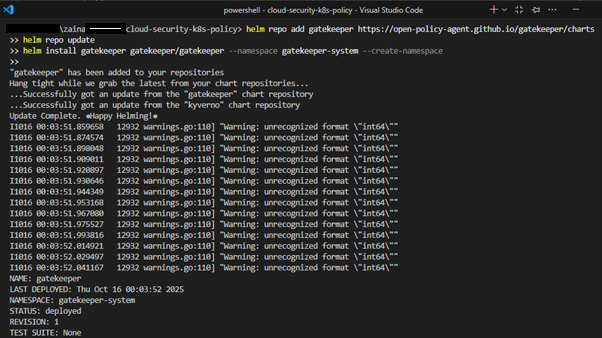
Verify Gatekeeper pods:
1
kubectl get pods -n gatekeeper-system -w
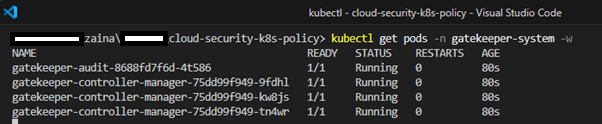
Gatekeeper ConstraintTemplates are written in Rego, packaged as CRDs and instantiated through Constraints. A ConstraintTemplate defines the policy logic. So, we’ll create a ConstraintTemplate and a Constraint in the next step.
Step 2: Create a Gatekeeper ConstraintTemplate
Create policies/gatekeeper/templates/block-hostnet-privileged.template.yaml:
The file content can be found here: GitHub Repository
Step 3: Apply Gatekeeper Constraint (to Enforce the Template)
A Constraint is an instance of a template that specifies where the policy should be enforced.
Create policies/gatekeeper/constraints/block-hostnet-privileged.constraint.yaml:
The file content can be found here: GitHub Repository
This ensures the Template is applied to Pod and common workload types (Gatekeeper evaluates the pod template inside workloads).
Apply OPA Gatekeeper Templates and Constraints:
1
2
kubectl apply -f k8s-policies/gatekeeper/templates/block-hostnet-privileged.template.yaml
kubectl apply -f k8s-policies/gatekeeper/constraints/block-hostnet-privileged.constraint.yaml

Testing and Verification
Test hostNetwork:true
In project folder create k8s/bad-hostnet.yaml Pod, a Pod manifest to violate hostNetwork: true
The file content can be found here: GitHub Repository
Apply the pod manifest, it’s expected for the Gatekeeper to block it:
1
kubectl apply -f k8s/bad-hostnet.yaml

Test Privileged Container
Create a test Pod k8s/bad-privileged.yaml that violates privileged containers policy.
The file content can be found here: GitHub Repository
Apply the pod manifest, it’s expected Gatekeeper will block this as well:
1
kubectl apply -f k8s/bad-privileged.yaml

Tip: Gatekeeper has a local testing tool called
gatorthat lets you validate templates and constraints offline before applying to a cluster, which is very handy in CI.
Why These Policies Matter
- When
hostNetworkis enabled, a Pod shares the host’s network namespace, this gives the Pod potential access to all host interfaces, ports and traffic, breaking network isolation. - Running a container in privileged mode gives it near-root access to the host, allowing kernel interactions and system modifications. Attackers could use this to escape the container or tamper with the host OS.
- Regulatory standards like PCI DSS strictly prohibit this level of exposure. Denying privileged mode ensures compliance and prevents privilege escalation vectors.
Together, these Gatekeeper constraints fortify cluster boundaries, uphold compliance and ensure that only safe workloads are admitted thereby protecting both applications and infrastructure.
CI: GitHub Actions to Check Policies on PRs
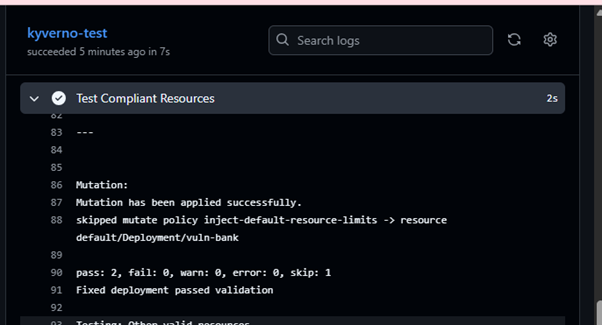
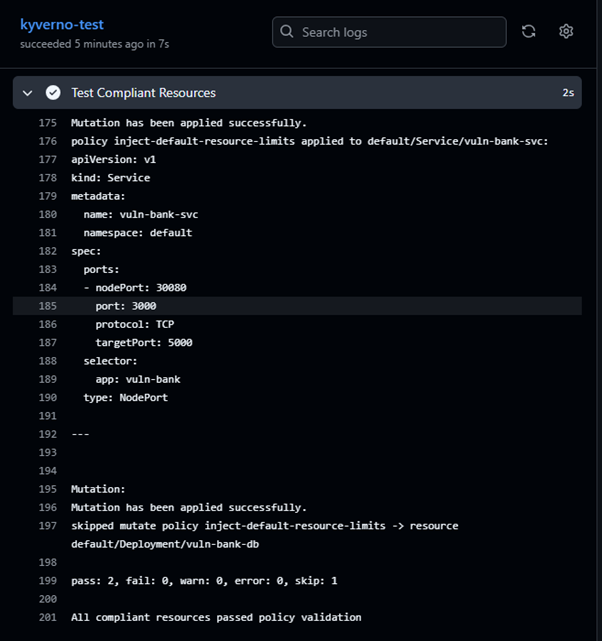
We’d use Kyverno test action to validate YAMLs/Helm charts against policies during PRs. To do this, we’d set up two workflows in .github/workflows:
Kyverno Policy Check (Runs Kyverno Checks on Manifests)
In .github folder, create .github/workflows/kyverno-ci.yml
The file content can be found here: GitHub Repository
We’ll test for both manifests that don’t comply to the policies as well as test the compliant manifests.

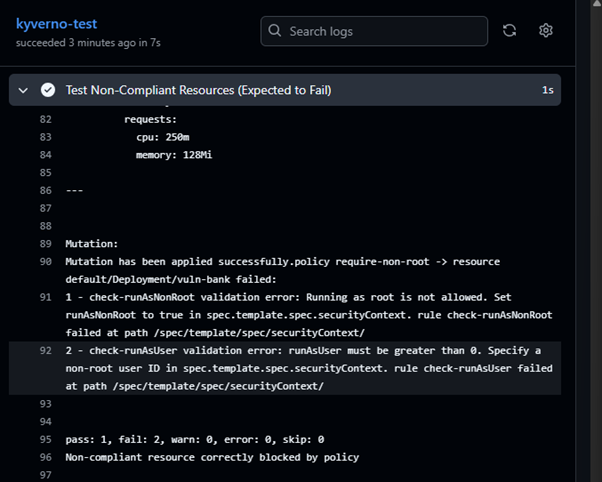
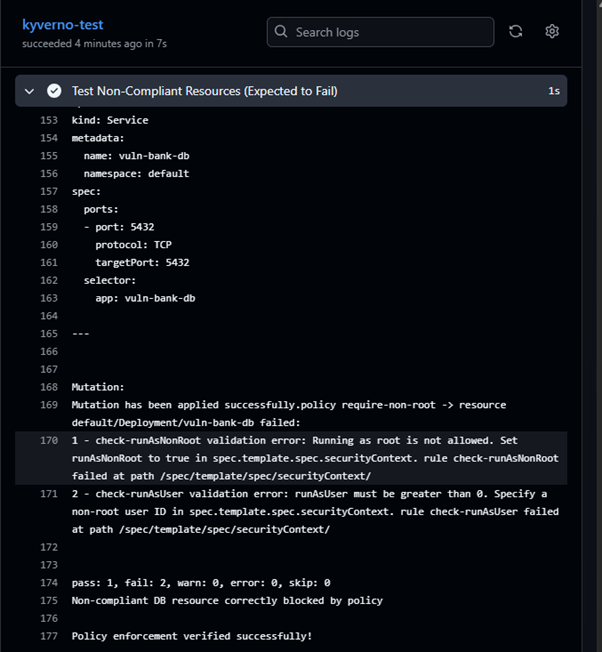
Conclusion
In this two-part series, we’ve implemented a comprehensive Policy-as-Code solution for Kubernetes using both Kyverno and OPA Gatekeeper. We’ve:
- Deployed a vulnerable application (VULN-BANK) in a local Kubernetes cluster
- Enforced security best practices using Kyverno (non-root containers, resource limits)
- Implemented compliance-focused policies using OPA Gatekeeper (blocking hostNetwork and privileged mode)
- Integrated policy validation into CI/CD pipelines with GitHub Actions
This approach ensures that security and compliance are built into the development lifecycle, reducing human error and automatically enforcing organisational standards before workloads reach production.
Resources: